Make sure the clock in happened on site
Location-verified time tracking for field teams
Draw a boundary around each job site so an on-site clock in is one tap — and an off-site one gets flagged for approval. GPS-verified, powered by Google Maps, and built for construction, field service, and multi-location businesses.
Time tracking that knows where work happened
From drawing a site boundary to a punch showing up on a timesheet — the whole loop is location-aware.
One tap when they’re on site
Inside a job site’s boundary, clocking in is a single tap. Punch from somewhere else and the app flags it before anything is recorded.
Unlimited job sites
Draw a geofence around every location a client works — offices, warehouses, or a dozen active job sites at once.
GPS-verified punches
Each clock in and out records the GPS coordinates, so you can see exactly where a shift started and ended.
Radius you control
Set the boundary tight — around 50 feet for a single building — or wide enough to cover a whole construction site.
Runs in the mobile app
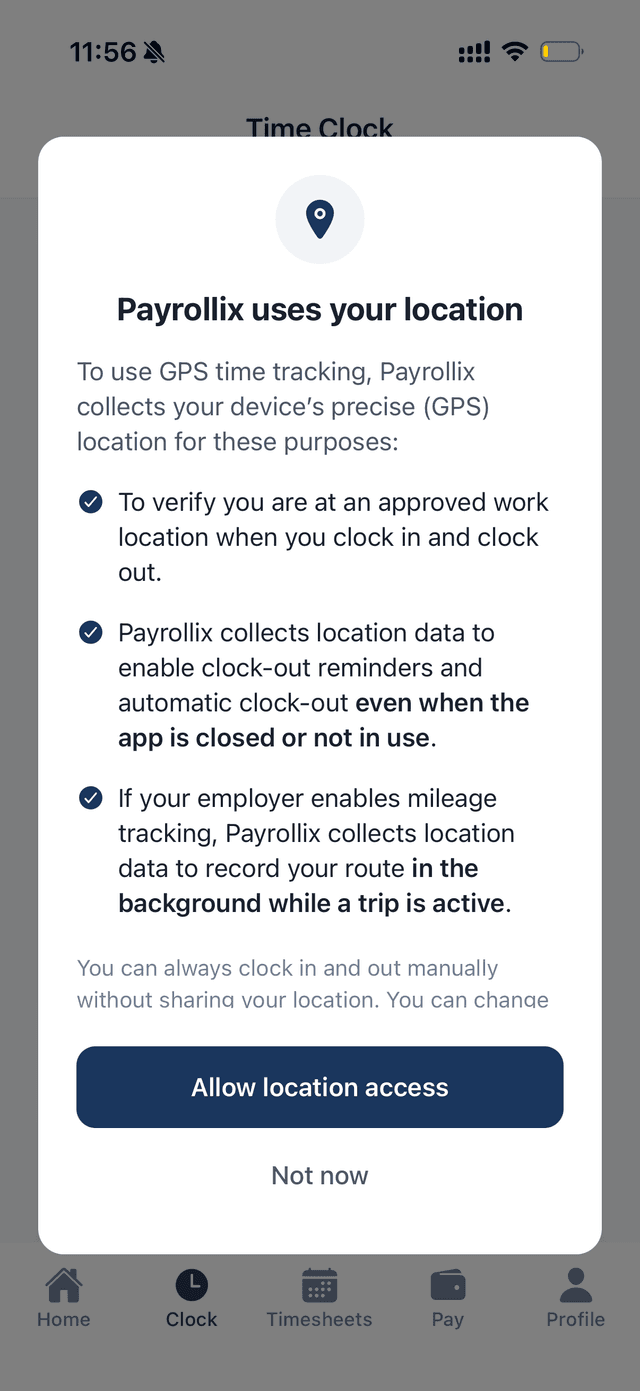
Field crews clock in from their phone. Location is only checked at the punch, with a clear permission prompt first.
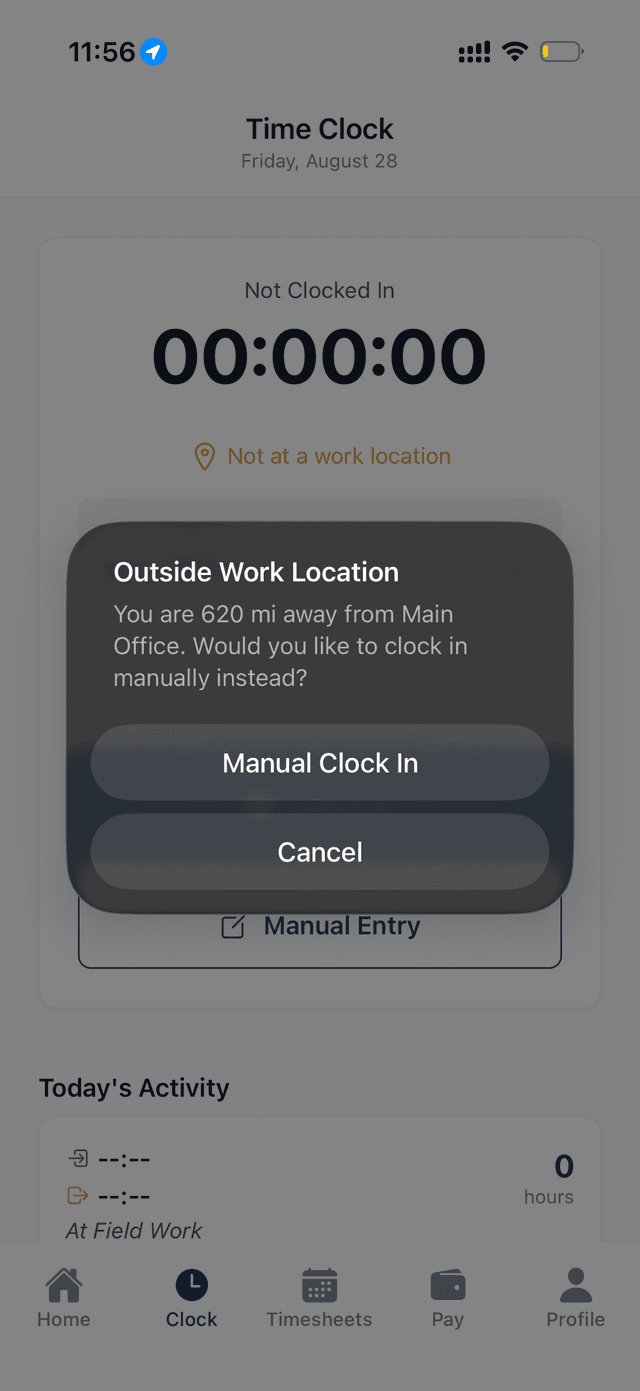
Off-site? Manual entry with a reason
When someone’s outside the boundary, they can still clock in manually — but it needs a reason and goes to a supervisor for approval, so nothing slips through unnoticed.
Location history
Every punch keeps its site and coordinates, so timesheets show where hours were worked — ready for job costing.
Why field teams turn on geofencing
Off-site punches are flagged and need supervisor approval — nothing slips through unaudited
Built for construction, field service, and multi-location teams
Punches map to a job site automatically for labor costing
Set up sites visually with Google Maps
Employees see a clear prompt before location is ever read
Works alongside the same timesheets that feed payroll
Tightest radius
Job sites
Verified punches
Google-powered setup
Ask first, then verify at the punch
Employees see exactly why location is used before they ever share it. Then, at each punch, the app checks they’re on site — and if they’re not, it says so and offers a manual entry for approval.
- A clear, upfront prompt explains why location is used — employees can decline
- On site, punch in and out with a single tap
- Off site, the app flags the distance and offers a manual entry for approval
- Each punch stamped with its site and GPS coordinates, straight into the timesheet
Tie every punch to a place
Start a 14-day free trial and set up your first geofenced job site — no credit card required.